

CR / 002 — Selected Work
Employee scheduling without spreadsheet chaos.
- Product UX
- Engineering
ShiftFlow is a full-stack employee scheduling application designed to help small businesses manage staff, availability and weekly rotas in one place.
I built it as a serious learning project to move beyond simple CRUD and work through the kind of problems that show up in real products: authentication, roles, permissions, scheduling rules, publishing workflows, responsive UX and testing.
Case study
The challenge
Creating a rota looks simple until you start modelling what actually needs to happen.
Managers need to know who is available, whether a shift conflicts with another, whether somebody can legally be assigned to that time, and whether the rota is still being prepared or has been published.
Employees need something much simpler:
When am I working, and when have I said I’m available?
The goal was to create one system that handles both experiences without turning the product into a bloated admin dashboard.
The approach
I designed ShiftFlow around two clear journeys.
Managers can:
Manage employees, review availability, create and assign shifts, catch scheduling conflicts and publish a weekly rota.
Employees can:
View their own published schedule and update their recurring availability through a much simpler self-service experience.
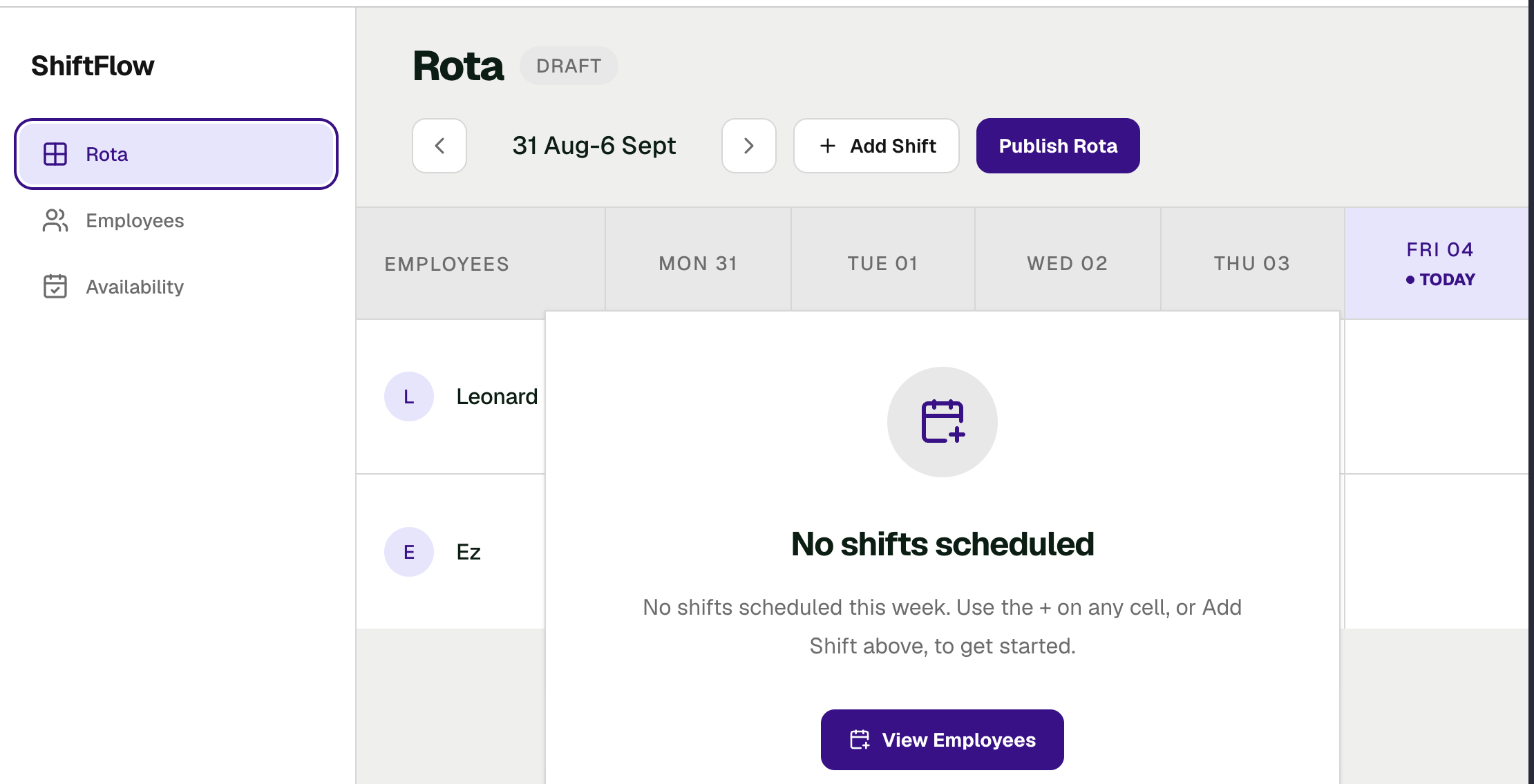
The weekly rota became the centre of the manager product rather than hiding scheduling behind multiple separate screens.
Scheduling that understands availability
Availability is not just profile information in ShiftFlow.
When a manager creates a shift, the application checks whether the employee is available for that day and whether the shift falls inside their available hours.
It also checks for existing shift conflicts before allowing the assignment.
That turns the rota from a visual calendar into something that actively helps prevent scheduling mistakes.
Authentication and real authorization
ShiftFlow uses Clerk for authentication, but authentication alone was not enough.
I introduced a separate ShiftFlow user model with MANAGER and EMPLOYEE roles and enforced permissions on the GraphQL API rather than relying on hidden buttons in the frontend.
Managers can administer the rota and employees.
Employees can only access their own schedule and availability.
That means an employee cannot simply modify a request and access somebody else's data.
Publishing the rota
The original interface showed a Draft badge, but it was only visual.
I replaced that with a real persisted publishing workflow.
Managers prepare a weekly rota, publish it, and employees only see shifts belonging to published weeks.
Publication is modelled per week rather than attached independently to every shift, keeping the data model closer to how the product actually works.
Designing the experience
The visual direction is intentionally restrained.
I wanted ShiftFlow to feel like operational software rather than another generic SaaS dashboard.
The interface uses:
- compact information-dense layouts
- restrained purple accents
- clear role-based navigation
- contextual shift editing
- simple availability states
- a focused employee schedule
- accessible loading, error and validation feedback
Creating or editing a shift happens alongside the rota so the manager keeps the scheduling context while making changes.
A bug worth finding
One of the more interesting issues appeared around publishing weeks.
Using toISOString() for week-start dates caused local calendar dates to shift when converted to UTC, which meant a published rota could incorrectly appear unpublished to an employee.
I introduced a consistent week-start key so the frontend and backend agree on the same calendar week regardless of timezone conversion.
It was a small bug with a big lesson: dates are part of the domain, not just formatting.
Testing the behaviour that matters
I separated business rules into pure functions wherever possible and added tests around:
- week calculations
- availability rules
- role-based navigation
- employee self-service
- publication behaviour
- form validation
- scheduling logic
I also manually verified real authorization boundaries using actual Clerk sessions and direct GraphQL requests.
What I learned
The most valuable part of ShiftFlow was seeing how one feature affects the rest of the system.
Availability changed scheduling.Authentication introduced identity.Roles introduced authorization.Publishing changed the data model.Employee self-service changed what the API was allowed to expose.
The project helped shift my thinking from:
“What component or hook do I need?”to:“What problem am I modelling, where should that responsibility live, and what should the system guarantee?”
Outcome
ShiftFlow now supports the full core scheduling loop:
- Manager
- Manage employees → understand availability → build rota → validate assignments → publish week
- Employee
- Sign in → view published shifts → manage own availability
I deliberately kept features such as shift swaps, leave management, realtime collaboration and AI rota generation outside the MVP.
The aim was not to build the biggest scheduling platform possible.
It was to build a focused product properly and use it to strengthen my frontend, full-stack and product-engineering skills
Stack
- Next.js
- React
- TypeScript
- GraphQL
- Apollo
- Prisma
- PostgreSQL
- Clerk